
The wait is over! All newly branded 2026 Microsoft 365 PowerPoint and Google Slide templates are now officially live and ready for download. Elevate your next project with these cutting-edge updates.
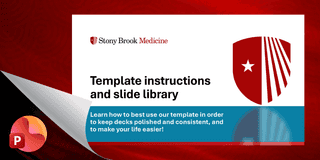
✨ What’s New
- Modern Aesthetic: Enjoy a fresh, contemporary look tailored for 2026 design standards.
- Updated Color Palette: Access an expanded, cohesive set of approved corporate colors.
- Next-Gen Typography: Fully integrated with the new official Microsoft 365 fonts: Aptos (Display), Aptos (Body), Aptos Semi-Bold and Google Slide fonts: Open Sans and Zilla Slab
- Dynamic Layouts: Discover diverse, high-impact slide designs built to keep audiences engaged.
- Pre-Designed Elements: Utilize ready-to-use slides and document blocks for rapid content creation.
- Built-In Guidance: Navigate your design effortlessly with integrated tips and tricks.
📥 Download your new templates today and upgrade your presentations!







Charts and Graphs Data from Excel to PowerPoint
To ensure all data visualizations automatically incorporate our branded color palette and fonts, use the ‘Branded Theme Component’.
To add an Excel chart and graphs to PowerPoint
- Copy the chart in Excel and paste it into your slide.
- Choose the "Use Destination Theme & Link Data" option when pasting so your PowerPoint chart updates automatically whenever you change the numbers in your original Excel spreadsheet.
- Go to the Design Tab.
- Open the drop-down under Themes.
- Select 'Save current theme.' This will incorporate our branded color palette and fonts to the imported file.